열심히 공부하던 ROS2 Repo., 에서 홈웍을 위해서 만든 2 개의 특정 폴더 및 파일을 떼어내어 새로운 레포를 만들려고 한다.
이 때 사용되는 명령어 패키지는 git-filter-repo다.
1단계: 사전 준비 및 설치
pip install git-filter-repo
2단계: 특정 폴더/파일 추출
2.1 레포 새로 생성
cd ~
git clone https://github.com/jalanwang/ros2.git jbot
cd jbot
2.2 특정 폴더, 파일만 남기기
- 현재 목록 확인
robot@robot:~/jbot_ws$ ls -al
합계 68
drwxrwxr-x  8 robot robot  4096  2월 21 12:48 .
drwxr-x--- 38 robot robot  4096  2월 21 12:32 ..
drwxrwxr-x  8 robot robot  4096  2월 21 12:48 .git
-rw-rw-r--  1 robot robot   808  2월 21 12:48 .gitignore
drwxrwxr-x  2 robot robot  4096  2월 21 12:48 .vscode
-rw-rw-r--  1 robot robot 13811  2월 21 12:48 README.md
drwxrwxr-x  2 robot robot  4096  2월 21 12:48 build
drwxrwxr-x  5 robot robot  4096  2월 21 12:48 building_editor_models
drwxrwxr-x  2 robot robot  4096  2월 21 12:48 install
-rw-rw-r--  1 robot robot  7924  2월 21 12:48 map.pgm
-rw-rw-r--  1 robot robot   143  2월 21 12:48 map.yaml
-rw-rw-r--  1 robot robot   301  2월 21 12:48 requirements.txt
drwxrwxr-x 20 robot robot  4096  2월 21 12:48 src

robot@robot:~/jbot_ws$ cd src
robot@robot:~/jbot_ws/src$ ls
PyStudy                           my_time_roy_pkg
msg_srv_action_interface_example  my_turtle_controller
my_first_package_msgs             my_turtlebot_pkg
my_first_ros_rclcpp_pkg           topic_service_action_rclcpp_example
my_first_ros_rclpy_pkg            topic_service_action_rclpy_example
my_first_topic_pkg                turtlebot3
my_move_turtle_pkg                turtlebot3_msgs
my_package_msgs                   turtlebot3_simulations
my_qt_ros_rclpy_pkg               urdf_tutorial
git filter-repo --path .gitignore --path .vscode --path README.md --path map.pgm --path map.yaml --path requirements.txt --path build --path building_editor_models --path install --path src/my_turtlebot_pkg --path src/my_package_msgs
결과 화면 보기
robot@robot:~/jbot_ws$ git filter-repo --path .gitignore --path .vscode --path README.md --path map.pgm --path map.yaml --path requirements.txt --path build --path building_editor_models --path install --path src/my_turtlebot_pkg --path src/my_package_msgs
NOTICE: Removing 'origin' remote; see 'Why is my origin removed?'
        in the manual if you want to push back there.
        (was https://github.com/jalanwang/ros2.git)
Parsed 70 commits
New history written in 0.04 seconds; now repacking/cleaning...
Repacking your repo and cleaning out old unneeded objects
HEAD의 현재 위치는 d281937입니다 홈웍완료본
오브젝트 나열하는 중: 480, 완료.
오브젝트 개수 세는 중: 100% (480/480), 완료.
Delta compression using up to 8 threads
오브젝트 압축하는 중: 100% (204/204), 완료.
오브젝트 쓰는 중: 100% (480/480), 완료.
Total 480 (delta 215), reused 459 (delta 205), pack-reused 0
Completely finished after 0.07 seconds.
robot@robot:~/jbot_ws$
robot@robot:~/jbot_ws$ ls
README.md  building_editor_models  map.pgm   requirements.txt
build      install                 map.yaml  src
robot@robot:~/jbot_ws$ tree
.
├── README.md
├── build
│   └── COLCON_IGNORE
├── building_editor_models
│   ├── maze
│   │   ├── model.config
│   │   ├── model.sdf
│   │   └── my_maze.world
│   ├── my_house
│   │   ├── model.config
│   │   ├── model.sdf
│   │   └── model.world
│   └── parking_lot
│       ├── model.config
│       ├── model.sdf
│       ├── my_parking_lot_with_obstacles.world
│       └── parking_lot.world
├── install
│   ├── COLCON_IGNORE
│   ├── _local_setup_util_ps1.py
│   ├── _local_setup_util_sh.py
│   ├── local_setup.bash
│   ├── local_setup.ps1
│   ├── local_setup.sh
│   ├── local_setup.zsh
│   ├── setup.bash
│   ├── setup.ps1
│   ├── setup.sh
│   └── setup.zsh
├── map.pgm
├── map.yaml
├── requirements.txt
└── src
    ├── my_package_msgs
    │   ├── CMakeLists.txt
    │   ├── action
    │   │   └── TurtleMakeShape.action
    │   ├── package.xml
    │   └── srv
    │       ├── GoFront.srv
    │       ├── Rotate.srv
    │       └── Stop.srv
    └── my_turtlebot_pkg
        ├── launch
        │   └── turtlebot3_world_test.launch.py
        ├── my_turtlebot_pkg
        │   ├── __init__.py
        │   ├── archi.mmd
        │   ├── archi2.mmd
        │   ├── controller.ui
        │   ├── controller_ui.py
        │   ├── detect_obstacle.py
        │   ├── detect_obstacle_aperature.py
        │   ├── lidar_subscriber.py
        │   ├── move_turtle_by_controller.py
        │   ├── move_turtle_by_controller_rclpy.py
        │   ├── move_turtle_logic.py
        │   ├── move_turtle_pub.py
        │   ├── move_turtle_pub_adv.py
        │   ├── move_turtle_with_detecting_obstacle.py
        │   ├── my_package
        │   │   ├── __init__.py
        │   │   └── my_utilz.py
        │   ├── turtle_make_shape_server.py
        │   └── turtle_pose_and_position.py
        ├── package.xml
        ├── resource
        │   └── my_turtlebot_pkg
        ├── setup.cfg
        ├── setup.py
        └── test
            ├── test_copyright.py
            ├── test_flake8.py
            └── test_pep257.py

16 directories, 58 files
robot@robot:~/jbot_ws$
3단계: 원격 저장소 재설정 및 푸시
git remote add orgin git@github.com:jalanwang/jbot.git
git push -u origin main
robot@robot:~/jbot_ws$ git push -u origin main
The authenticity of host 'github.com (20.200.245.247)' can't be established.
ED25519 key fingerprint is SHA256:+DiY3wvvV6TuJJhbpZisF/zLDA0zPMSvHdkr4UvCOqU.
This key is not known by any other names
Are you sure you want to continue connecting (yes/no/[fingerprint])? [Enter]
Host key verification failed.
fatal: 리모트 저장소에서 읽을 수 없습니다

올바른 접근 권한이 있는지, 그리고 저장소가 있는지
확인하십시오.
robot@robot:~/jbot_ws$
우분투를 다시 깔았더니 ssh 설정이 모두 사라져있었다. yes를 눌러서 접근하겠다.
robot@robot:~/jbot_ws$ git push -u origin main
The authenticity of host 'github.com (20.200.245.247)' can't be established.
ED25519 key fingerprint is SHA256:+DiY3wvvV6TuJJhbpZisF/zLDA0zPMSvHdkr4UvCOqU.
This key is not known by any other names
Are you sure you want to continue connecting (yes/no/[fingerprint])? yes
Warning: Permanently added 'github.com' (ED25519) to the list of known hosts.
git@github.com: Permission denied (publickey).
fatal: 리모트 저장소에서 읽을 수 없습니다

올바른 접근 권한이 있는지, 그리고 저장소가 있는지
확인하십시오.
음…
4단계: ssh 연결 설정
등록해 놓은 키를 .ssh 폴더에 넣고 내가 이걸로 github.com에 접속하겠다.
4.1 .ssh로 키쌍 복사
cp /media/robot/my_usb/NPKI/github_jalanwang/id_jalanwang_github* ~/.ssh/
robot@robot:~/jbot_ws$ ls -al ~/.ssh
합계 20
drwx------  2 robot robot 4096  2월 21 14:31 .
drwxr-x--- 38 robot robot 4096  2월 21 12:32 ..
-rw-r--r--  1 robot robot  411  2월 21 14:31 id_jalanwang_github
-rw-r--r--  1 robot robot  101  2월 21 14:31 id_jalanwang_github.pub
-rw-r--r-- 1 robot robot 142 2월 21 13:20 known_hosts- 개인키 권한 변경(공개키는 권한이 제대로 설정되어서 변경하지 않았다.
chmod 600 ~/.ssh/id_jalanwang_github
robot@robot:~/jbot_ws$ ls -al ~/.ssh
합계 20
drwx------  2 robot robot 4096  2월 21 14:31 .
drwxr-x--- 38 robot robot 4096  2월 21 12:32 ..
-rw-------  1 robot robot  411  2월 21 14:31 id_jalanwang_github
-rw-r--r--  1 robot robot  101  2월 21 14:31 id_jalanwang_github.pub
-rw-r--r--  1 robot robot  142  2월 21 13:20 known_hosts
4.2 ssh config 파일 설정
Host github.com
    HostName github.com
    User git
    IdentityFile ~/.ssh/id_jalanwang_github
4.3 연결 확인
ssh -T git@github.com
Hi jalanwang! You've successfully authenticated, but GitHub does not provide shell access.
축하한다!
5단계: push 재 실행
git push -u origin main
robot@robot:~/jbot_ws$ git push -u origin main
오브젝트 나열하는 중: 480, 완료.
오브젝트 개수 세는 중: 100% (480/480), 완료.
Delta compression using up to 8 threads
오브젝트 압축하는 중: 100% (194/194), 완료.
오브젝트 쓰는 중: 100% (480/480), 98.64 KiB | 355.00 KiB/s, 완료.
Total 480 (delta 215), reused 480 (delta 215), pack-reused 0
remote: Resolving deltas: 100% (215/215), done.
To github.com:jalanwang/jbot.git
 * [new branch]      main -> main
'main' 브랜치가 리모트의 'main' 브랜치를 ('origin'에서) 따라가도록 설정되었습니다.
6단계: git 확인
윗 과정을 수행했어도 화면에는 아랫처럼 나타난다.
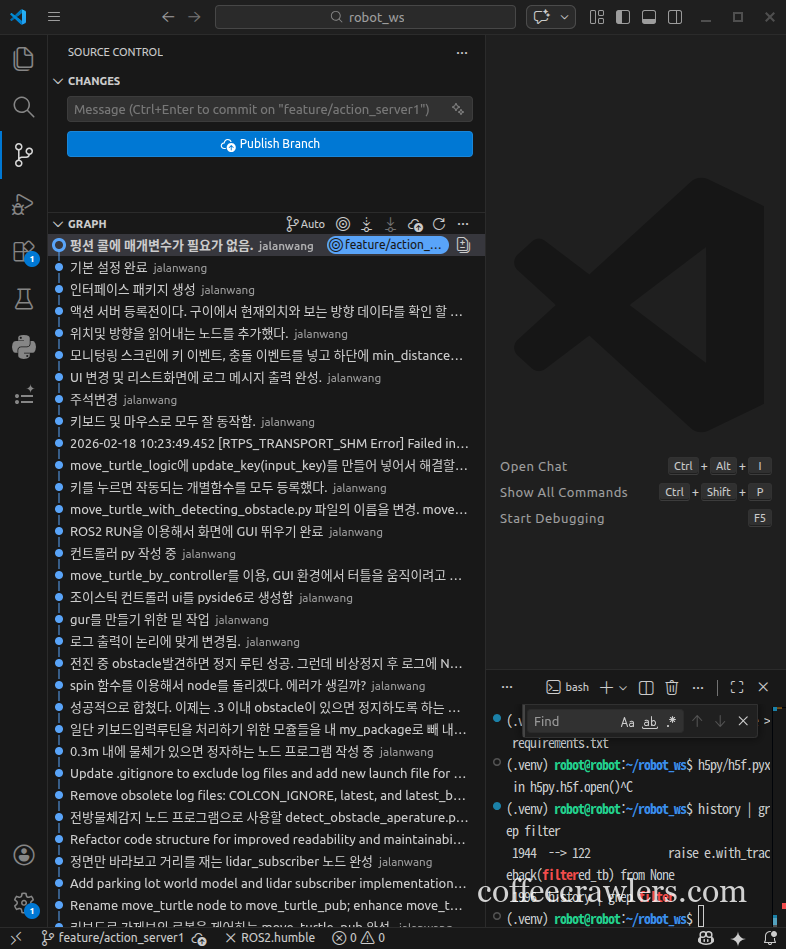
당연하다. 워킹 폴더를 이제 새로만든 깃 레포로 이동하겠다.
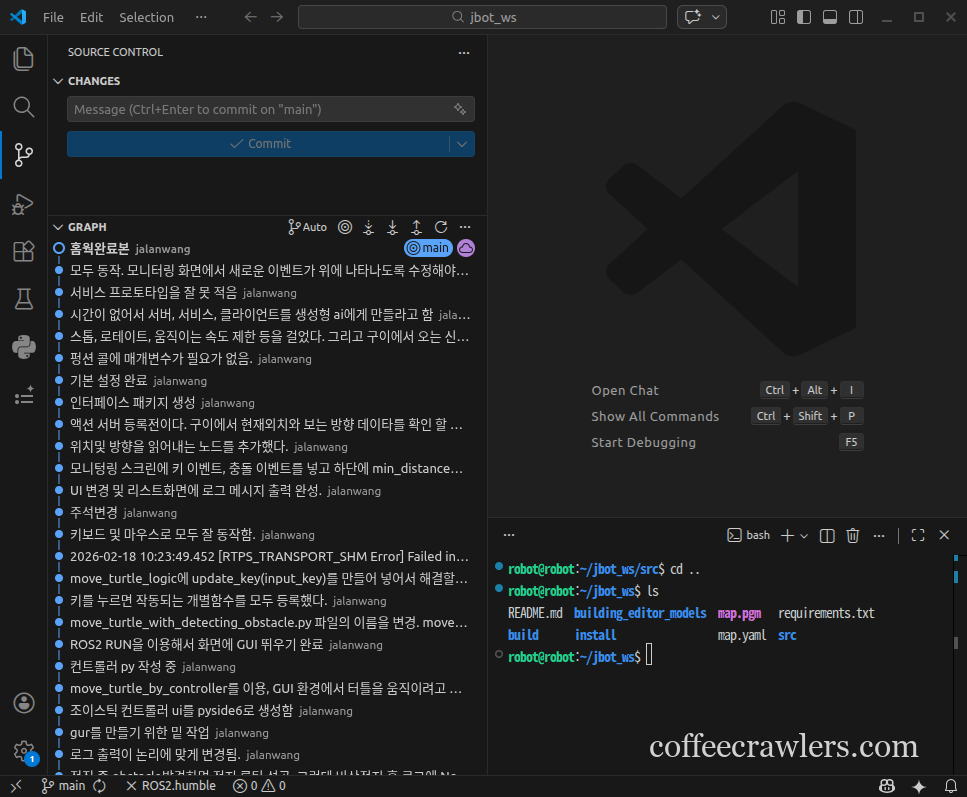
위와 같이 jbot_ws에 성공적으르 git 이력을 모두 가지고 이동했음을 알 수 있다.
이제 해야할 일은 (.venv)를 다시 생성하면 된다. 프로그램은 안짜고 이런거에 시간 다 보내고 있다. T.T
자세히는 아랫글을 참조하면 된다.
여기서는 빠르게 진행해보자.
# python3 -m venv .venv
# ROS2를 깔아놓았기 때문에 시스템 파이썬 패키지에 접근 가능하도록 아랫처럼 가상환경을 만들어 주어야 한다.
python3 -m venv --system-site-packages .venv
source .venv/bin/activate
pip install --upgrade pip
pip install -r requirements.txt
결과 화면 보기
(.venv) robot@robot:~/jbot_ws$ deactivate

robot@robot:~/jbot_ws$ python3 -m venv --system-site-packages .venv

robot@robot:~/jbot_ws$ source .venv/bin/activate

(.venv) robot@robot:~/jbot_ws$ pip install --upgrade pip
Requirement already satisfied: pip in ./.venv/lib/python3.10/site-packages (22.0.2)
Collecting pip
  Using cached pip-26.0.1-py3-none-any.whl (1.8 MB)
Installing collected packages: pip
  Attempting uninstall: pip
    Found existing installation: pip 22.0.2
    Uninstalling pip-22.0.2:
      Successfully uninstalled pip-22.0.2
Successfully installed pip-26.0.1

(.venv) robot@robot:~/jbot_ws$ pip install -r requirements.txt
Requirement already satisfied: numpy in /home/robot/.local/lib/python3.10/site-packages (from -r requirements.txt (line 2)) (2.2.6)
Requirement already satisfied: pandas in /home/robot/.local/lib/python3.10/site-packages (from -r requirements.txt (line 3)) (2.3.3)
Requirement already satisfied: scipy in /usr/lib/python3/dist-packages (from -r requirements.txt (line 4)) (1.8.0)
Requirement already satisfied: matplotlib in /usr/lib/python3/dist-packages (from -r requirements.txt (line 5)) (3.5.1)
Requirement already satisfied: seaborn in /home/robot/.local/lib/python3.10/site-packages (from -r requirements.txt (line 6)) (0.13.2)
Requirement already satisfied: scikit-learn in /home/robot/.local/lib/python3.10/site-packages (from -r requirements.txt (line 7)) (1.7.2)
Requirement already satisfied: joblib in /home/robot/.local/lib/python3.10/site-packages (from -r requirements.txt (line 8)) (1.5.3)
Requirement already satisfied: opencv-python in /home/robot/.local/lib/python3.10/site-packages (from -r requirements.txt (line 11)) (4.13.0.92)
Requirement already satisfied: pillow in /usr/lib/python3/dist-packages (from -r requirements.txt (line 12)) (9.0.1)
Requirement already satisfied: tensorflow in /home/robot/.local/lib/python3.10/site-packages (from -r requirements.txt (line 15)) (2.20.0)
Requirement already satisfied: keras in /home/robot/.local/lib/python3.10/site-packages (from -r requirements.txt (line 16)) (3.12.1)
Requirement already satisfied: tensorboard in /home/robot/.local/lib/python3.10/site-packages (from -r requirements.txt (line 17)) (2.20.0)
Requirement already satisfied: absl-py in /home/robot/.local/lib/python3.10/site-packages (from -r requirements.txt (line 18)) (2.4.0)
Requirement already satisfied: protobuf in /home/robot/.local/lib/python3.10/site-packages (from -r requirements.txt (line 19)) (6.33.5)
Requirement already satisfied: h5py in /home/robot/.local/lib/python3.10/site-packages (from -r requirements.txt (line 20)) (3.15.1)
Requirement already satisfied: ipython in /home/robot/.local/lib/python3.10/site-packages (from -r requirements.txt (line 23)) (8.38.0)
Requirement already satisfied: ipykernel in /home/robot/.local/lib/python3.10/site-packages (from -r requirements.txt (line 24)) (7.2.0)
Requirement already satisfied: jupyter_client in /home/robot/.local/lib/python3.10/site-packages (from -r requirements.txt (line 25)) (8.8.0)
Requirement already satisfied: requests in /usr/lib/python3/dist-packages (from -r requirements.txt (line 26)) (2.25.1)
Requirement already satisfied: certifi in /usr/lib/python3/dist-packages (from -r requirements.txt (line 27)) (2020.6.20)
Requirement already satisfied: psutil in /usr/lib/python3/dist-packages (from -r requirements.txt (line 28)) (5.9.0)
Requirement already satisfied: python-dateutil>=2.8.2 in /home/robot/.local/lib/python3.10/site-packages (from pandas->-r requirements.txt (line 3)) (2.9.0.post0)
Requirement already satisfied: pytz>=2020.1 in /usr/lib/python3/dist-packages (from pandas->-r requirements.txt (line 3)) (2022.1)
Requirement already satisfied: tzdata>=2022.7 in /home/robot/.local/lib/python3.10/site-packages (from pandas->-r requirements.txt (line 3)) (2025.3)
Requirement already satisfied: threadpoolctl>=3.1.0 in /home/robot/.local/lib/python3.10/site-packages (from scikit-learn->-r requirements.txt (line 7)) (3.6.0)
Requirement already satisfied: astunparse>=1.6.0 in /home/robot/.local/lib/python3.10/site-packages (from tensorflow->-r requirements.txt (line 15)) (1.6.3)
Requirement already satisfied: flatbuffers>=24.3.25 in /home/robot/.local/lib/python3.10/site-packages (from tensorflow->-r requirements.txt (line 15)) (25.12.19)
Requirement already satisfied: gast!=0.5.0,!=0.5.1,!=0.5.2,>=0.2.1 in /home/robot/.local/lib/python3.10/site-packages (from tensorflow->-r requirements.txt (line 15)) (0.7.0)
Requirement already satisfied: google_pasta>=0.1.1 in /home/robot/.local/lib/python3.10/site-packages (from tensorflow->-r requirements.txt (line 15)) (0.2.0)
Requirement already satisfied: libclang>=13.0.0 in /home/robot/.local/lib/python3.10/site-packages (from tensorflow->-r requirements.txt (line 15)) (18.1.1)
Requirement already satisfied: opt_einsum>=2.3.2 in /home/robot/.local/lib/python3.10/site-packages (from tensorflow->-r requirements.txt (line 15)) (3.4.0)
Requirement already satisfied: packaging in /home/robot/.local/lib/python3.10/site-packages (from tensorflow->-r requirements.txt (line 15)) (26.0)
Requirement already satisfied: setuptools in ./.venv/lib/python3.10/site-packages (from tensorflow->-r requirements.txt (line 15)) (59.6.0)
Requirement already satisfied: six>=1.12.0 in /usr/lib/python3/dist-packages (from tensorflow->-r requirements.txt (line 15)) (1.16.0)
Requirement already satisfied: termcolor>=1.1.0 in /home/robot/.local/lib/python3.10/site-packages (from tensorflow->-r requirements.txt (line 15)) (3.3.0)
Requirement already satisfied: typing_extensions>=3.6.6 in /home/robot/.local/lib/python3.10/site-packages (from tensorflow->-r requirements.txt (line 15)) (4.15.0)
Requirement already satisfied: wrapt>=1.11.0 in /usr/lib/python3/dist-packages (from tensorflow->-r requirements.txt (line 15)) (1.13.3)
Requirement already satisfied: grpcio<2.0,>=1.24.3 in /home/robot/.local/lib/python3.10/site-packages (from tensorflow->-r requirements.txt (line 15)) (1.78.0)
Requirement already satisfied: ml_dtypes<1.0.0,>=0.5.1 in /home/robot/.local/lib/python3.10/site-packages (from tensorflow->-r requirements.txt (line 15)) (0.5.4)
Requirement already satisfied: markdown>=2.6.8 in /home/robot/.local/lib/python3.10/site-packages (from tensorboard->-r requirements.txt (line 17)) (3.10.2)
Requirement already satisfied: tensorboard-data-server<0.8.0,>=0.7.0 in /home/robot/.local/lib/python3.10/site-packages (from tensorboard->-r requirements.txt (line 17)) (0.7.2)
Requirement already satisfied: werkzeug>=1.0.1 in /home/robot/.local/lib/python3.10/site-packages (from tensorboard->-r requirements.txt (line 17)) (3.1.5)
Requirement already satisfied: rich in /home/robot/.local/lib/python3.10/site-packages (from keras->-r requirements.txt (line 16)) (14.3.2)
Requirement already satisfied: namex in /home/robot/.local/lib/python3.10/site-packages (from keras->-r requirements.txt (line 16)) (0.1.0)
Requirement already satisfied: optree in /home/robot/.local/lib/python3.10/site-packages (from keras->-r requirements.txt (line 16)) (0.18.0)
Requirement already satisfied: decorator in /usr/lib/python3/dist-packages (from ipython->-r requirements.txt (line 23)) (4.4.2)
Requirement already satisfied: exceptiongroup in /home/robot/.local/lib/python3.10/site-packages (from ipython->-r requirements.txt (line 23)) (1.3.1)
Requirement already satisfied: jedi>=0.16 in /home/robot/.local/lib/python3.10/site-packages (from ipython->-r requirements.txt (line 23)) (0.19.2)
Requirement already satisfied: matplotlib-inline in /home/robot/.local/lib/python3.10/site-packages (from ipython->-r requirements.txt (line 23)) (0.2.1)
Requirement already satisfied: pexpect>4.3 in /usr/lib/python3/dist-packages (from ipython->-r requirements.txt (line 23)) (4.8.0)
Requirement already satisfied: prompt_toolkit<3.1.0,>=3.0.41 in /home/robot/.local/lib/python3.10/site-packages (from ipython->-r requirements.txt (line 23)) (3.0.52)
Requirement already satisfied: pygments>=2.4.0 in /home/robot/.local/lib/python3.10/site-packages (from ipython->-r requirements.txt (line 23)) (2.19.2)
Requirement already satisfied: stack_data in /home/robot/.local/lib/python3.10/site-packages (from ipython->-r requirements.txt (line 23)) (0.6.3)
Requirement already satisfied: traitlets>=5.13.0 in /home/robot/.local/lib/python3.10/site-packages (from ipython->-r requirements.txt (line 23)) (5.14.3)
Requirement already satisfied: wcwidth in /home/robot/.local/lib/python3.10/site-packages (from prompt_toolkit<3.1.0,>=3.0.41->ipython->-r requirements.txt (line 23)) (0.6.0)
Requirement already satisfied: comm>=0.1.1 in /home/robot/.local/lib/python3.10/site-packages (from ipykernel->-r requirements.txt (line 24)) (0.2.3)
Requirement already satisfied: debugpy>=1.6.5 in /home/robot/.local/lib/python3.10/site-packages (from ipykernel->-r requirements.txt (line 24)) (1.8.20)
Requirement already satisfied: jupyter-core!=6.0.*,>=5.1 in /home/robot/.local/lib/python3.10/site-packages (from ipykernel->-r requirements.txt (line 24)) (5.9.1)
Requirement already satisfied: nest-asyncio>=1.4 in /home/robot/.local/lib/python3.10/site-packages (from ipykernel->-r requirements.txt (line 24)) (1.6.0)
Requirement already satisfied: pyzmq>=25 in /home/robot/.local/lib/python3.10/site-packages (from ipykernel->-r requirements.txt (line 24)) (27.1.0)
Requirement already satisfied: tornado>=6.4.1 in /home/robot/.local/lib/python3.10/site-packages (from ipykernel->-r requirements.txt (line 24)) (6.5.4)
Requirement already satisfied: wheel<1.0,>=0.23.0 in /usr/lib/python3/dist-packages (from astunparse>=1.6.0->tensorflow->-r requirements.txt (line 15)) (0.37.1)
Requirement already satisfied: parso<0.9.0,>=0.8.4 in /home/robot/.local/lib/python3.10/site-packages (from jedi>=0.16->ipython->-r requirements.txt (line 23)) (0.8.6)
Requirement already satisfied: platformdirs>=2.5 in /home/robot/.local/lib/python3.10/site-packages (from jupyter-core!=6.0.*,>=5.1->ipykernel->-r requirements.txt (line 24)) (4.7.1)
Requirement already satisfied: markupsafe>=2.1.1 in /home/robot/.local/lib/python3.10/site-packages (from werkzeug>=1.0.1->tensorboard->-r requirements.txt (line 17)) (3.0.3)
Requirement already satisfied: markdown-it-py>=2.2.0 in /home/robot/.local/lib/python3.10/site-packages (from rich->keras->-r requirements.txt (line 16)) (4.0.0)
Requirement already satisfied: mdurl~=0.1 in /home/robot/.local/lib/python3.10/site-packages (from markdown-it-py>=2.2.0->rich->keras->-r requirements.txt (line 16)) (0.1.2)
Requirement already satisfied: executing>=1.2.0 in /home/robot/.local/lib/python3.10/site-packages (from stack_data->ipython->-r requirements.txt (line 23)) (2.2.1)
Requirement already satisfied: asttokens>=2.1.0 in /home/robot/.local/lib/python3.10/site-packages (from stack_data->ipython->-r requirements.txt (line 23)) (3.0.1)
Requirement already satisfied: pure-eval in /home/robot/.local/lib/python3.10/site-packages (from stack_data->ipython->-r requirements.txt (line 23)) (0.2.3)
(.venv) robot@robot:~/jbot_ws$
마지막 테스트다. gazebo를 실행시켜보자.
(.venv) robot@robot:~/jbot_ws$ ros2 launch turtlebot3_gazebo empty_world.launch.py
[INFO] [launch]: All log files can be found below /home/robot/.ros/log/2026-02-21-22-06-04-788520-robot-11856
[INFO] [launch]: Default logging verbosity is set to INFO
urdf_file_name : turtlebot3_burger.urdf
urdf_file_name : turtlebot3_burger.urdf
[INFO] [gzserver-1]: process started with pid [11869]
[INFO] [gzclient-2]: process started with pid [11871]
[INFO] [robot_state_publisher-3]: process started with pid [11873]
[INFO] [spawn_entity.py-4]: process started with pid [11875]
[robot_state_publisher-3] [robot_state_publisher] [INFO] [1771679165.630851474]: got segment base_footprint
[robot_state_publisher-3] [robot_state_publisher] [INFO] [1771679165.630977407]: got segment base_link
[robot_state_publisher-3] [robot_state_publisher] [INFO] [1771679165.630986039]: got segment base_scan
[robot_state_publisher-3] [robot_state_publisher] [INFO] [1771679165.630991929]: got segment caster_back_link
[robot_state_publisher-3] [robot_state_publisher] [INFO] [1771679165.630997599]: got segment imu_link
[robot_state_publisher-3] [robot_state_publisher] [INFO] [1771679165.631002843]: got segment wheel_left_link
[robot_state_publisher-3] [robot_state_publisher] [INFO] [1771679165.631008322]: got segment wheel_right_link
[spawn_entity.py-4] [spawn_entity] [INFO] [1771679165.918379496]: Spawn Entity started
[spawn_entity.py-4] [spawn_entity] [INFO] [1771679165.918613765]: Loading entity XML from file /home/robot/robot_ws/install/turtlebot3_gazebo/share/turtlebot3_gazebo/models/turtlebot3_burger/model.sdf
[spawn_entity.py-4] [spawn_entity] [INFO] [1771679165.919199210]: Waiting for service /spawn_entity, timeout = 30
[spawn_entity.py-4] [spawn_entity] [INFO] [1771679165.919401709]: Waiting for service /spawn_entity
[spawn_entity.py-4] [spawn_entity] [INFO] [1771679166.422888972]: Calling service /spawn_entity
[gzserver-1] [turtlebot3_imu] [INFO] [1771679166.648471838]: <initial_orientation_as_reference> is unset, using default value of false to comply with REP 145 (world as orientation reference)
[spawn_entity.py-4] [spawn_entity] [INFO] [1771679166.703002022]: Spawn status: SpawnEntity: Successfully spawned entity [burger]
[gzserver-1] [turtlebot3_diff_drive] [INFO] [1771679166.826263938]: Wheel pair 1 separation set to [0.160000m]
[gzserver-1] [turtlebot3_diff_drive] [INFO] [1771679166.826296022]: Wheel pair 1 diameter set to [0.066000m]
[gzserver-1] [turtlebot3_diff_drive] [INFO] [1771679166.826930376]: Subscribed to [/cmd_vel]
[gzserver-1] [turtlebot3_diff_drive] [INFO] [1771679166.828188803]: Advertise odometry on [/odom]
[gzserver-1] [turtlebot3_diff_drive] [INFO] [1771679166.829611360]: Publishing odom transforms between [odom] and [base_footprint]
[INFO] [spawn_entity.py-4]: process has finished cleanly [pid 11875]
[gzserver-1] [turtlebot3_joint_state] [INFO] [1771679166.836334369]: Going to publish joint [wheel_left_joint]
[gzserver-1] [turtlebot3_joint_state] [INFO] [1771679166.836373243]: Going to publish joint [wheel_right_joint]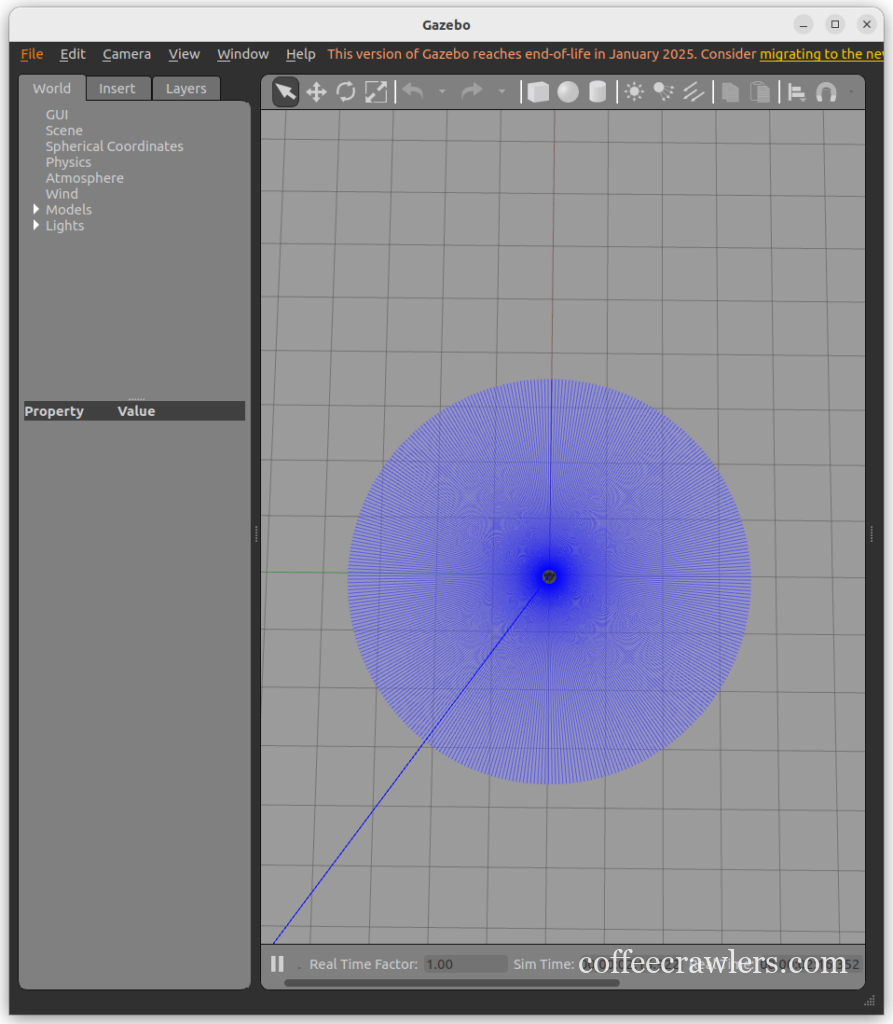
모두 성공! 이제 즐코딩~ 아참!
7단계: 폴더이동에 따른 초기화
폴더를 이동했으므로 ROS2의 기본 설정 파일을 변경해 주어야 한다.
cd ~/jbot_ws
rm -rf build/ install/ log/

cd ~/jbot_ws
colcon build --symlink-install

source install/setup.bash
윗 처럼 한 번 프레임을 잡아 주어야 나중에 build 할 때 새로운 폴더에서 작업이 수행된다.